Built with partners
Age Care Technologies®
A wellbeing assessment platform for older people and NHS care teams.
A dual-sided digital platform for personalised wellbeing assessment and professional care coordination.
- Partner
- Age Care Technologies® (ACT®)Digital tools that help older people express health, independence and wellbeing concerns
- Deployment
- UK and internationalAcross health and care systems, with a research network spanning every WHO region
- Services
- Product Architecture
- Product Design & Prototyping
- Front-end Development
- Back-end Development
- AI Integration
About ACT®
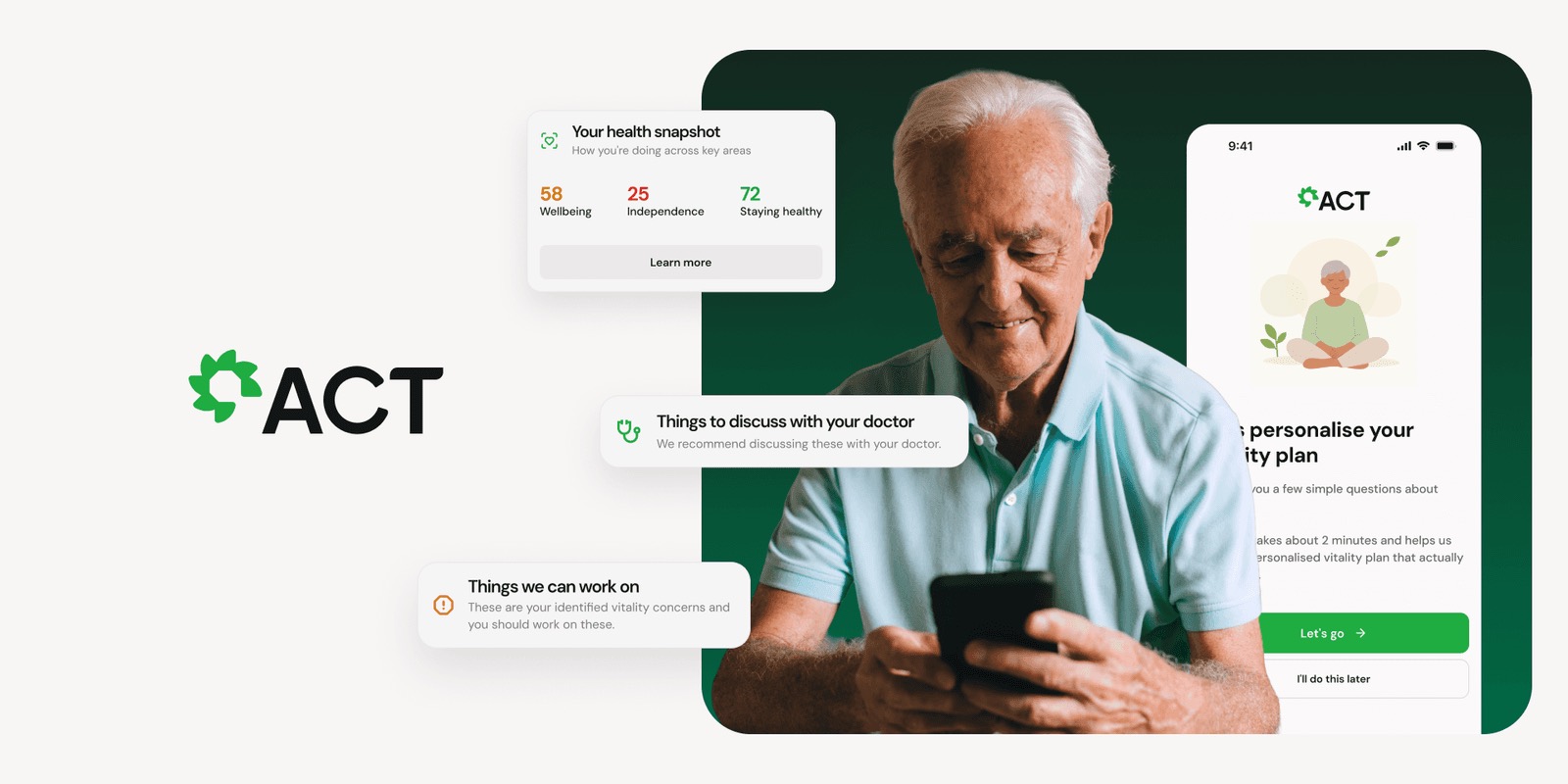
Age Care Technologies® (ACT®) provides digital tools that help older people express their health, independence and wellbeing concerns, and connects them to the support they need to live a better life in old age.
ACT®'s platform spans four integrated tools. It is deployed across health and care systems in the UK and internationally, with an active research network spanning every WHO region.
The problem
ACT®'s assessment methodology is built on 35 years of research across 50 countries. But the tools delivering it hadn't kept pace with modern digital product standards, and the platform needed to serve two very different users at once.
Older people wanted to take a personal wellbeing assessment and get a support plan without needing clinical help. Care professionals, NHS organisations and local authorities needed to manage assessments at scale, with governance, audit trails and team structures built in.
ACT® asked Green Republic to build one platform for both, without compromising clinical validity for professionals or simplicity for older people using it alone. The platform had to:

What made it complex
The hard part was serving two opposite needs in one product. Older people need warmth and simplicity. Care professionals need control, governance and population-level visibility. Meeting both meant getting the architecture right from day one.
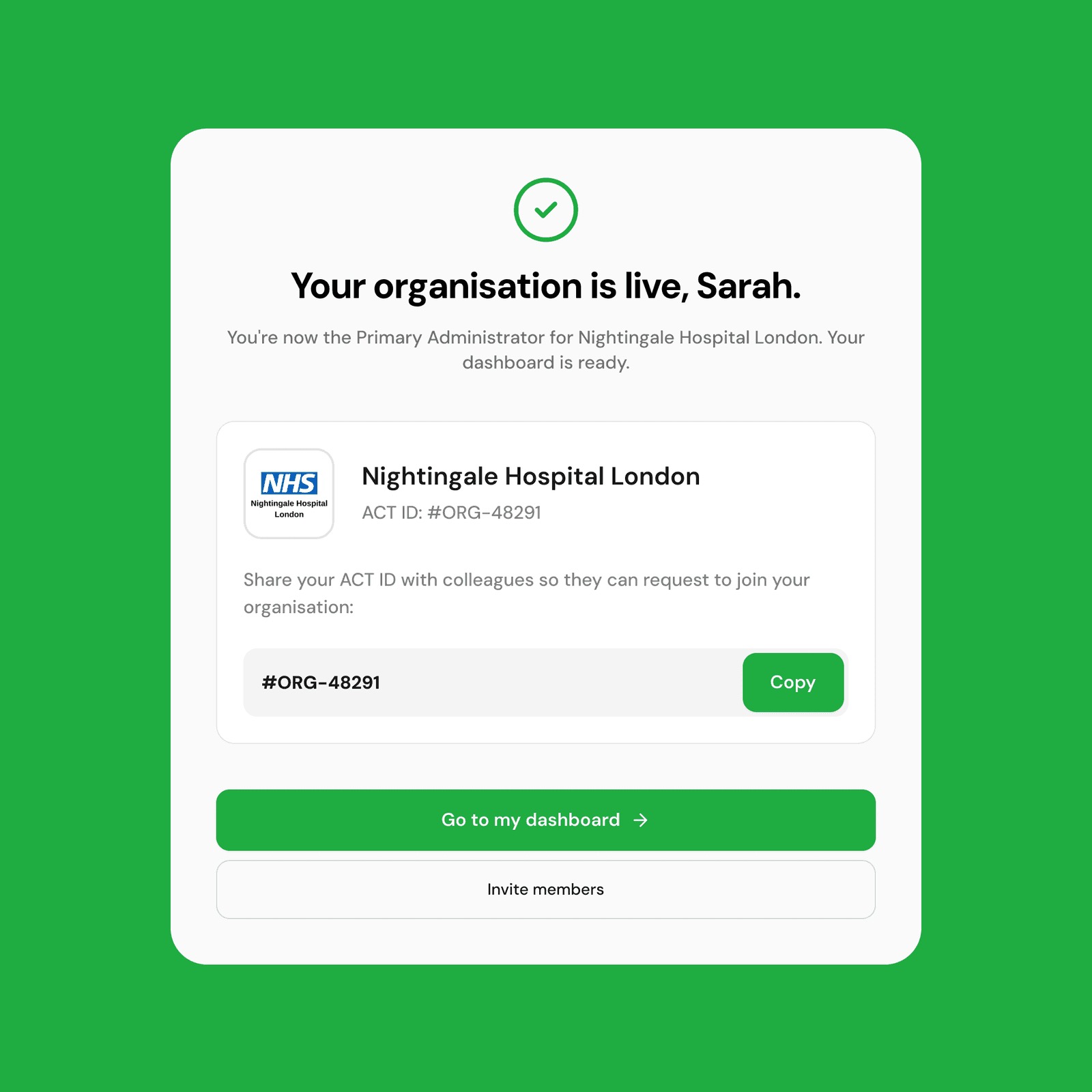
The organisation model was the biggest technical lift: NHS branding, an Org ID system for onboarding colleagues, a manual approval workflow for clinical governance, and clear role separation between admins and assessors, all without making the interface feel heavy or technical.
Two user worlds, one product
We structured the build around seven core challenges, which together form the architecture of the ACT® platform today.
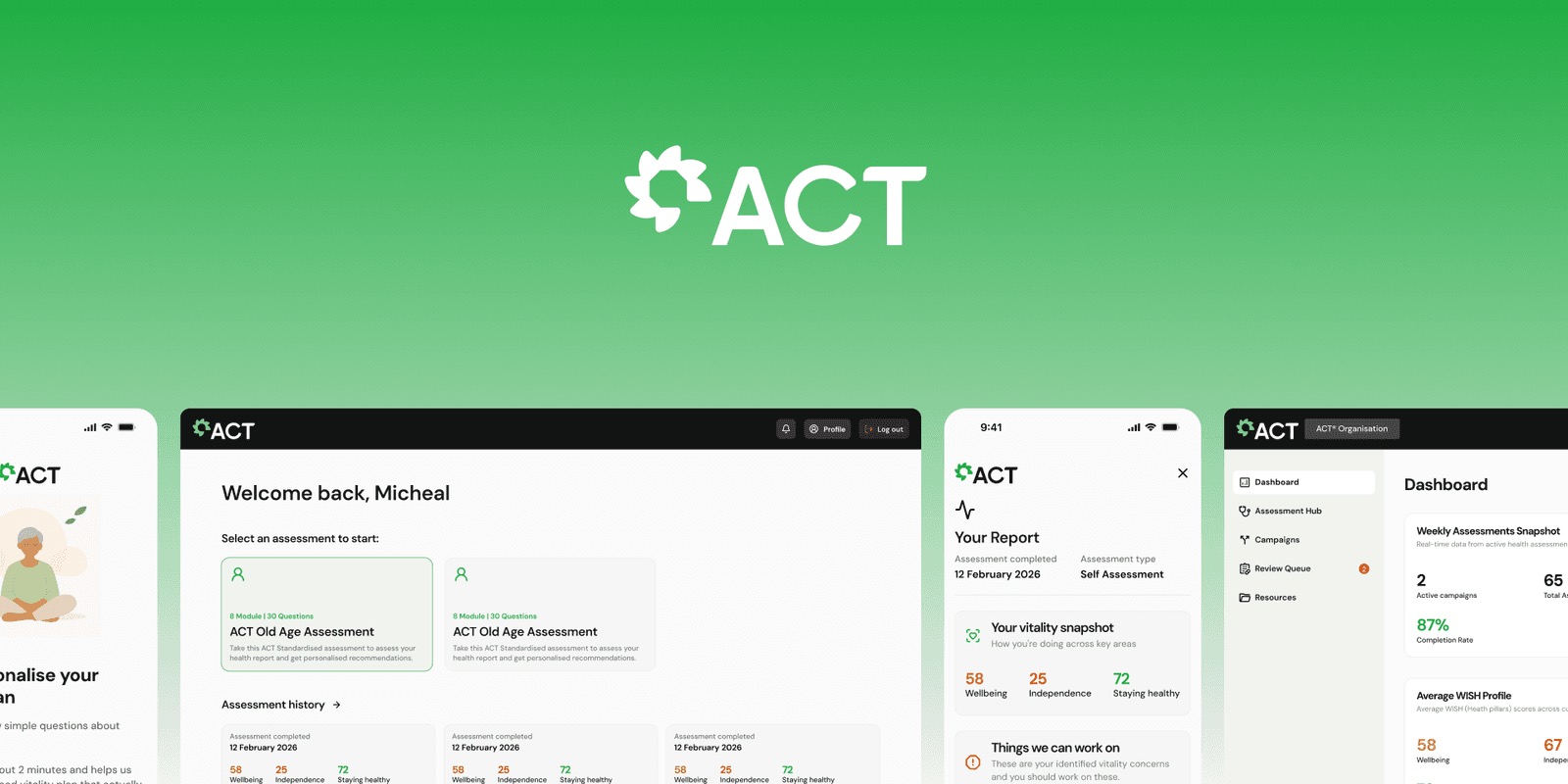
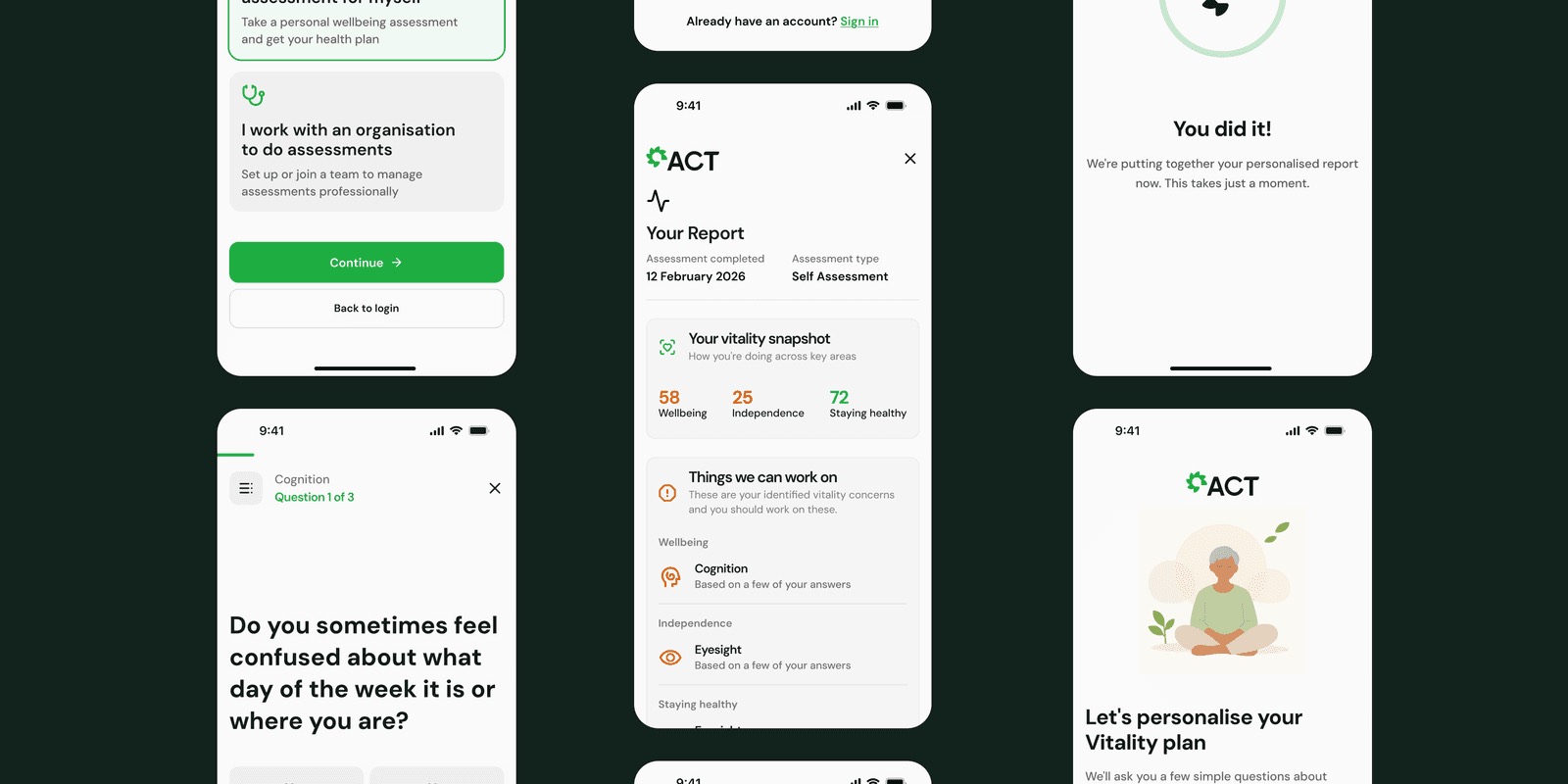
It starts with the fork screen, a single decision point that splits the product into two separate journeys: individual users taking a personal assessment, and care professionals managing assessments for their organisations. This determined the entire architecture: separate onboarding flows, account models, dashboards and feature sets, all within one product with a shared design language.
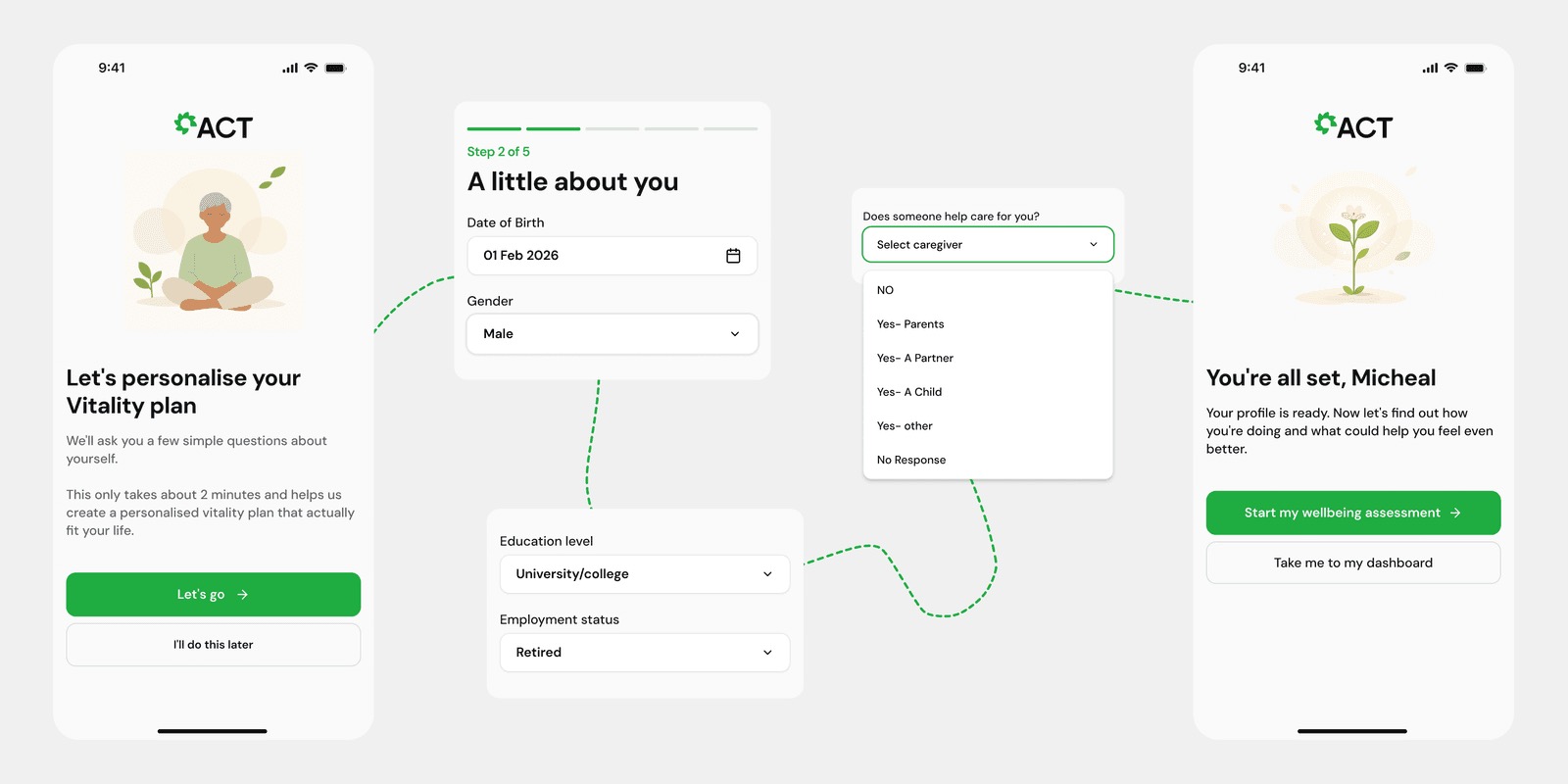
For older people, onboarding needed to feel like a conversation, not a form. We built a five-step flow that gathers the profile data needed to personalise their wellbeing plan:
Assessment and personalised reports
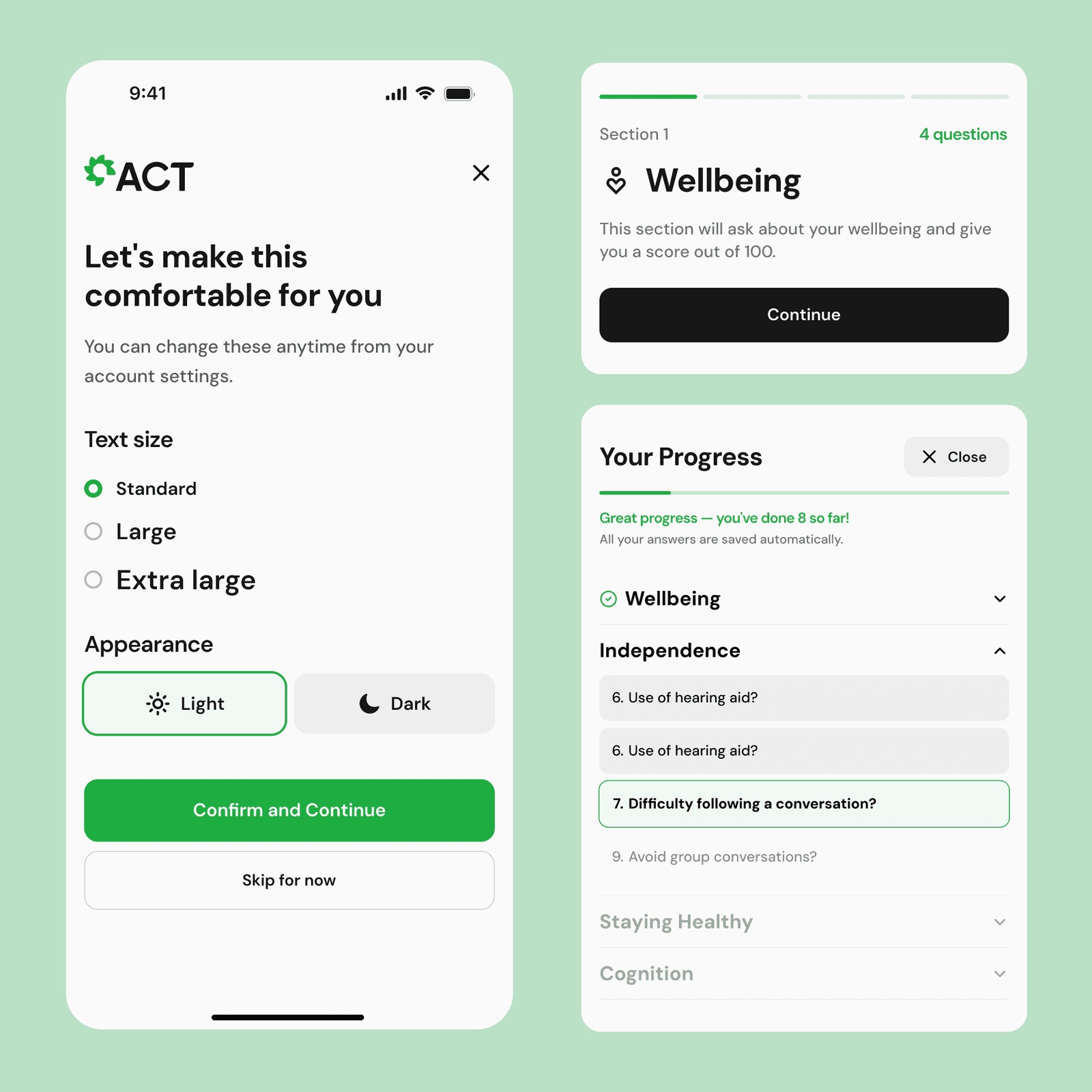
Before an assessment begins, users set their accessibility preferences, text size and light or dark mode, so the experience is comfortable from the first question.
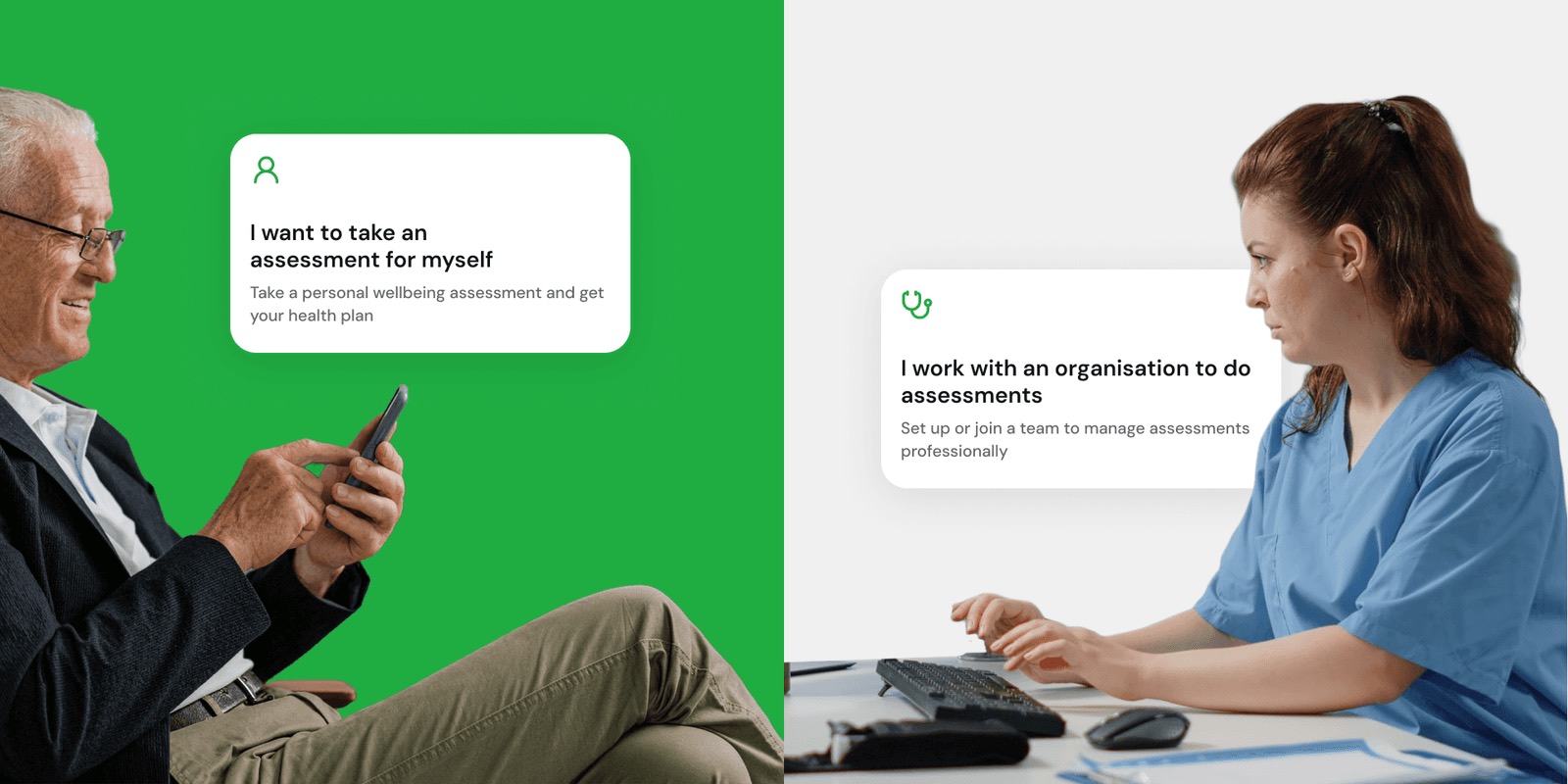
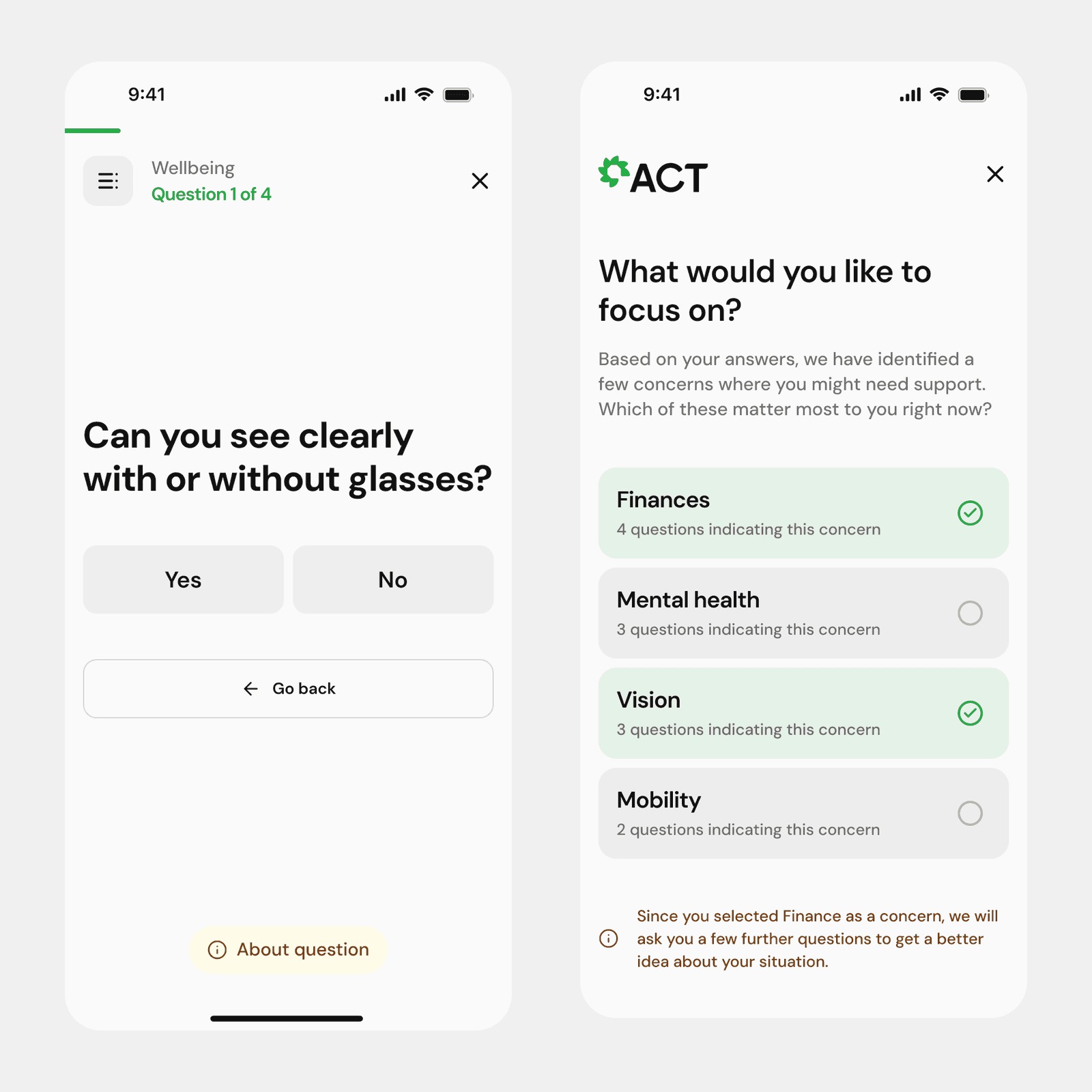
The assessment is split into four clinical sections: Wellbeing, Independence, Staying Healthy and Cognition. A progress sidebar shows every section and the user's position at any point. Questions are binary and direct, and each includes an 'About this question' tooltip explaining why it's being asked and what it helps identify, so users can trust the questions are purposeful, not intrusive.
Progress is auto-saved throughout, so users can pause, exit and pick up exactly where they left off. At the end, a loading screen signals that the personalised report is being generated, a small detail that makes the experience feel considered rather than clinical.
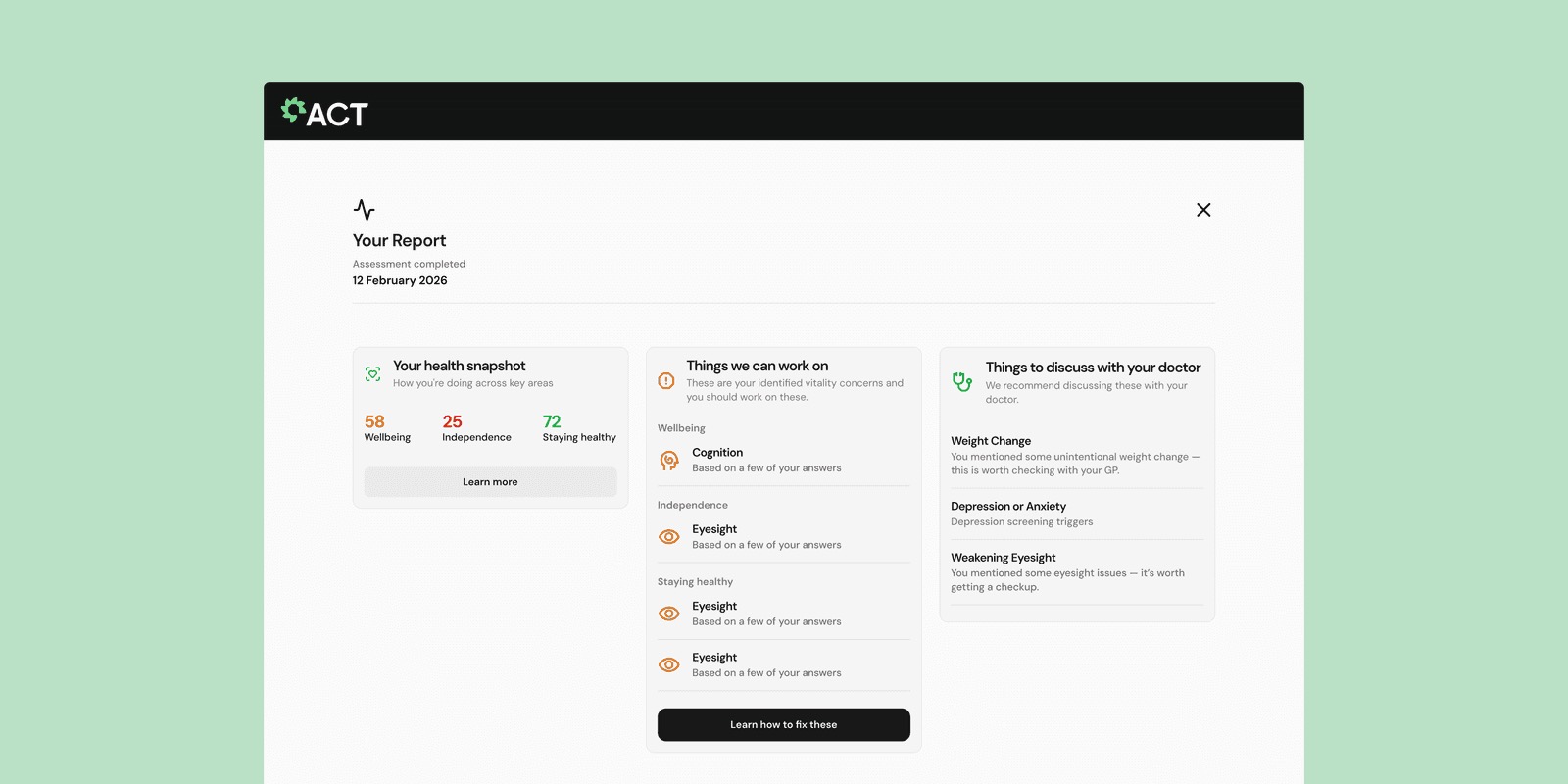
Once the assessment is complete, users aren't immediately shown a fixed list of concerns. They're first asked 'What would you like to focus on?', and the platform surfaces the concerns identified across the assessment, such as Finances, Mental health, Vision and Mobility, and asks users to select which matter most to them right now. For any concern they prioritise, the system asks a few targeted follow-up questions to build a more precise picture before generating the report. The report itself has four sections:
The completed report is saved permanently to the user's history, with a clear notice that it cannot be altered, preserving its integrity as a health record. It can be downloaded as a PDF or shared with a family member, carer or GP, and users can leave optional feedback on the assessment experience.
Multi-tenant organisations with NHS-grade governance
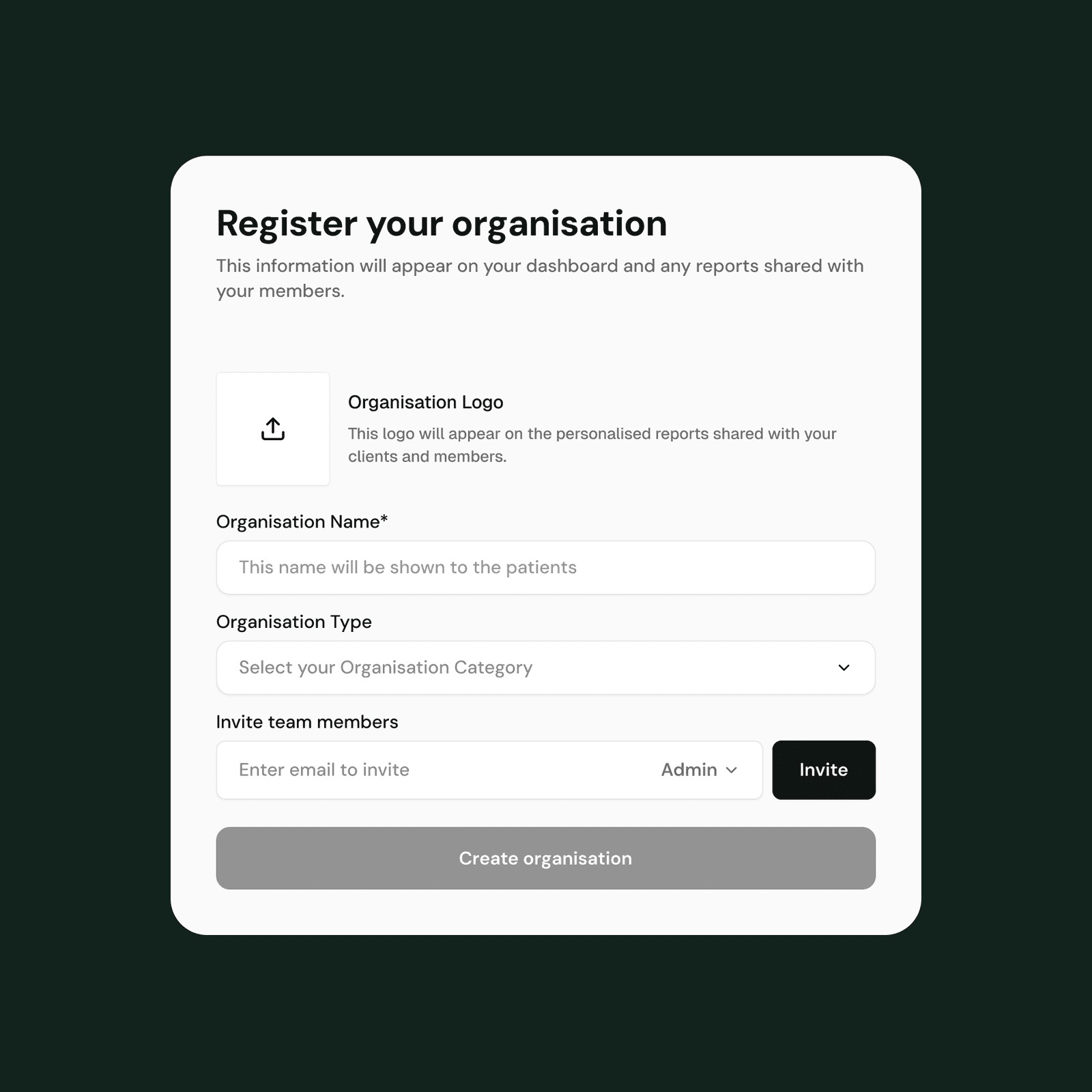
The organisation side was architecturally the most complex part of the build. Care providers, NHS trusts and local authorities needed to create their own organisation accounts, complete with branding (logo upload), categorisation (organisation type) and location (postcode), and then invite their teams to join.
We built a two-path organisation onboarding: create a new organisation, setting up the admin account at the same time, or join an existing one using a shareable Org ID. This unique identifier lets administrators onboard colleagues without a centralised invite system, making it practical for NHS teams operating across multiple sites and systems.
Mobile-first design and secure accounts
ACT®'s users span a wide range of contexts: an older person on a tablet at home, a care coordinator on a desktop in a clinic, an assessor on a phone during a home visit. Every screen was designed and reviewed in mobile and desktop layouts from the beginning, not adapted after the fact.
That shaped layout decisions throughout. Navigation patterns, form field sizing, button placement and content hierarchy were reconsidered at each breakpoint rather than simply scaled. For older adult users in particular, accessibility was a non-negotiable constraint: type sizes, contrast ratios and interaction patterns were all designed with lower digital literacy and reduced fine motor control in mind.
The auth layer supports two trust models: a lightweight, frictionless flow for older people getting started on their own, and a more controlled, governance-appropriate flow for professional accounts within NHS and care organisations.
Individual users register with email and password, with clearly communicated password requirements, designed to be memorable and low-friction for people who may not use digital products often. Consent for anonymous data sharing to improve care services is collected explicitly at account creation, in keeping with ACT®'s data ethics principles.
Organisation accounts carry extra safeguards. Professional accounts need admin approval before activation, new joiners are told this clearly, and the admin is notified to review and accept the request. This approval gate ensures clinical audit trail requirements are met and that access to population-level assessment data is appropriately controlled.
Results and impact
The ACT® platform is now live, serving individual users and professional organisations across the UK and internationally, with meaningful improvements on both sides.
Older people can begin their wellbeing journey independently, without a professional referral or clinical support to get started.
Care organisations can onboard and manage their entire assessment team from a single platform, with governance built in from the start.
NHS trusts and care providers gain a consistent, auditable data layer that connects individual assessments to population-level insight via ACT® Insight.
ACT®'s methodology can now scale globally without proportional growth in operational overhead.
This project took 35 years of world-leading research and gave it the digital infrastructure it deserved: a platform where any older person in the world can start understanding their own needs, and any care organisation can build the systems to respond.
Tech stack
- Frontend framework
- React 19 + ViteSPA with client-side routing via React Router v7, responsive layouts for mobile and desktop
- UI library
- Radix UI primitives (Select, Checkbox, Label, Slot) + Lucide React iconsShared component system across individual and organisation flows
- Styling
- Tailwind CSS v3Utility-first styling with custom design tokens for the ACT® brand (#1FAD42 green, domain-specific accent colours)
- Accessibility
- accessibilityPrefs.js preferences layerLarge touch targets and high-contrast design, essential for the older adult user base
- Forms
- React Hook Form v7 + Zod v4Multi-step registration and assessment flows with field-level validation and state persistence
- State / Data
- TanStack Query v5 + Zustand v5Server state and client-side global state
- Internationalisation
- i18next + react-i18nextLocalisation-ready across all user-facing strings
- Backend runtime
- PHP 8.2+ / Laravel 12REST API, queue workers and scheduled jobs running as separate ECS Fargate task definitions
- Database
- MySQL 8.0 on AWS RDSgp3, encrypted at rest, Multi-AZ in production, 7-day automated backups
- Auth
- Laravel Sanctum (token-based) + Spatie Laravel PermissionIndividual user sessions and organisation-scoped professional accounts with Admin / Assessor role-based access control
- 2FA
- TOTPQR code enrolment and audit-logged enable/disable events
- API layer
- Versioned REST JSON API + AxiosTanStack Query managing cache, retries and background refetching
- Admin approval workflow
- Custom invitation queueOrganisation-scoped role assignment, approval events logged with IP address and user agent, enforcing clinical governance at account level
- PDF generation
- barryvdh/laravel-dompdfAssessment reports rendered server-side and stored to S3
- Spreadsheet export
- PhpSpreadsheetBulk participant data exports for organisation administrators
- Org ID system
- Unique shareable identifiersTeam onboarding, so organisations can invite assessors without a centralised invite link
- Role-based access
- Spatie Laravel PermissionAdmin and Assessor roles with separate permission sets, dashboards and account management
- NHS identity
- Logo upload (S3-backed) + NHS trust displayOrganisation type categorisation for reporting and routing
- Tenant isolation
- Organisation-scoped queries at the application layerAssessment data, participant profiles and audit logs partitioned by organisation_id
- Questionnaire templates
- Custom templates and campaignsOrganisations create and assign their own assessments, with results scoped to the owning organisation
- Hosting
- AWS ECS Fargate (eu-west-2, London)Containerised backend with Application Load Balancer and auto-scaling task definitions for web and queue workers
- CDN
- AWS CloudFrontServes the React SPA and uploaded assets (logos, PDFs) from S3 via Origin Access Control; ACM certificates in us-east-1
- Storage
- AWS S3Persistent file storage for uploads; the Laravel public disk switches to S3 in production via FILESYSTEM_DISK=s3
- Cache / Queue
- AWS ElastiCache Redis 7Laravel queue driver and cache store; AI recommendation results cached for 24 hours
- Secrets
- AWS Secrets ManagerApp key, DB password and OpenAI API key injected at ECS task startup
- Data consent
- Versioned consent (consent_text_version)Explicit mandatory and optional consent at assessment start, GDPR-aligned with timestamp and immutable audit trail
- Audit logging
- AuditLog modelRecords actor, action, affected model, old/new values, IP address and user agent for all clinical data access and admin approval events
- Infrastructure as Code
- TerraformModular layout (vpc, rds, ecs, s3, elasticache, cloudfront, alb, route53, acm) with separate test and production configurations
- Language
- TypeScript 5.9 (frontend) / PHP 8.2 (backend)Strict typing end-to-end across a dual-user, multi-tenant data model
- Testing
- PHPUnit 11Backend unit and feature tests; frontend build validation and ESLint on every PR
- CI/CD
- GitHub Actionsci.yml runs backend PHPUnit and frontend lint/build on every PR to main/develop; separate deploy-test.yml and deploy-prod.yml pipelines push to ECS on merge
- Code quality
- ESLint 9 + Prettier (frontend), Laravel Pint (backend)Enforced in CI with a zero-warning policy
- Local dev
- composer run devBoots the PHP API, queue worker, log tail and Vite dev server concurrently
Need something like Age Care Technologies® built and kept running?
Got a market and a problem worth a company? Build it with us →